

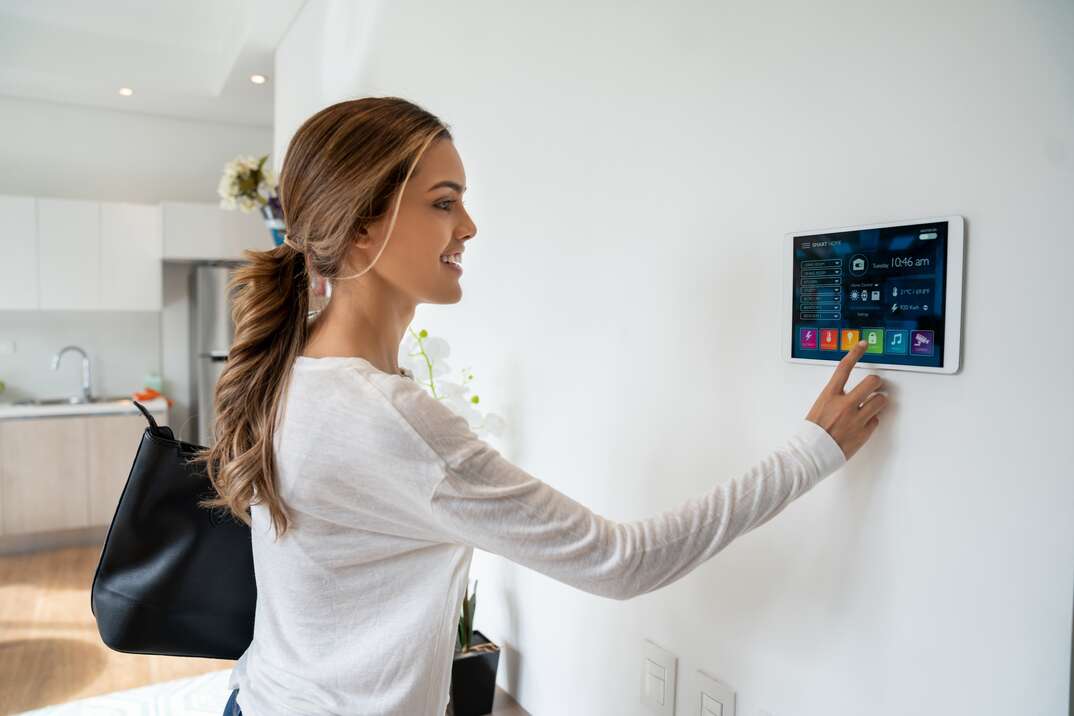
Most homeowners view smart thermostats, robotic vacuums, and video doorbells purely through the lens of convenience. You tap an app on your phone, and the hallway lights illuminate; you speak a command across the kitchen, and your preferred playlist begins streaming. Yet beneath this seamless functionality lies an uncomfortable reality: every internet-connected gadget in your living space is a miniature computer running an operating system, maintaining network interfaces, and listening for commands.
When security takes a backseat to convenience, these devices stop being helpful domestic assistants and transform into high-risk conduits. A compromised baby monitor or an unpatched smart plug is rarely targeted for its own sake. Instead, cybercriminals use vulnerable Internet of Things (IoT) hardware as low-resistance entry points to gain a foothold inside a residential network. From there, an attacker can pivot laterally toward personal laptops, work stations, network-attached storage units, and mobile devices containing financial records, passwords, and sensitive correspondence.
Hardening a smart home does not require an advanced degree in computer science or thousands of dollars in commercial hardware. It requires an architectural shift in how you configure, organize, and monitor your connected equipment. By implementing a systematic defense-in-depth strategy, you can enjoy modern home automation without handing adversaries the keys to your digital life.
The Anatomy of an IoT Compromise
Understanding how intruders breach home hardware is essential to stopping them. Unlike targeted enterprise intrusions carried out by human operators sitting behind keyboards, the vast majority of consumer smart home compromises are fully automated.
Cybercrime syndicates and rogue botnet operators deploy automated scanners that continually sweep global IP address spaces. These scanners look for common open ports, exposed management portals, and legacy network protocols. When a scan hits an unprotected home router or a device directly exposed to the wide-area network, the automated script runs through dictionaries of hardcoded manufacturer credentials. If your outdoor floodlight camera still uses its factory default login, it can be hijacked in seconds.
Once an attacker compromises an edge device, they typically pursue one of three objectives:
-
Botnet Recruitment: The device is quietly enlisted into a distributed denial-of-service (DDoS) botnet, such as variants of Mirai, to bombard corporate networks or critical web infrastructure with malicious traffic.
-
Cryptocurrency Mining and Resource Theft: Although smart devices possess modest processing power, thousands of aggregated devices running stripped-down mining algorithms yield illicit profit for malicious actors at the expense of your electricity bill and device longevity.
-
Lateral Network Pivoting: The attacker uses the compromised device as an internal springboard. Because traditional home routers trust all internal traffic implicitly, an intruder residing on a smart light bulb can inspect local network packets, exploit unpatched flaws on family computers, or redirect Domain Name System (DNS) queries to capture banking credentials.
Build a Resilient Foundation at the Router Level
Your wireless router is the primary digital perimeter of your residence. If the perimeter is porous, the security settings on individual light bulbs will do little to protect you. Hardening the foundation begins by treating your local area network as a zero-trust environment.
Implement Strict Network Segmentation
The single most consequential configuration change you can make in a smart home is network segmentation. In a standard residential setup, your work laptop, personal smartphone, gaming console, and twenty smart plugs all share the same flat subnet. If an adversary compromises a single Wi-Fi plug, they have an unobstructed pathway to listen to traffic across every device in the house.
You can break this attack chain immediately by creating a dedicated network for IoT hardware:
-
Use the Built-in Guest Network: If your router does not support advanced networking features, turn on its isolated Guest Wi-Fi network. Connect every smart speaker, connected appliance, smart plug, and camera to the guest network, reserving the main network exclusively for computers, phones, tablets, and network storage. Most modern routers prevent devices on the guest network from communicating with devices on the primary network.
-
Deploy Virtual Local Area Networks (VLANs): For higher-end prosumer routers and mesh systems, configure distinct VLANs. Assign smart devices to a dedicated IoT VLAN with firewall access control lists (ACLs) that allow traffic to flow outward to the internet for vendor updates, while blocking all inbound lateral traffic targeting your primary computing gear.
Disable Universal Plug and Play (UPnP)
Universal Plug and Play was originally developed to make networking effortless by allowing local devices to automatically open ports on your router firewall. Unfortunately, UPnP lacks robust authentication. A rogue device or a malicious script running inside your network can quietly instruct your router to open external ports, exposing local management interfaces directly to the public internet without your knowledge or consent. Log into your router administrative console, navigate to advanced network settings, and turn off UPnP entirely. If a specific gaming console or media server requires port forwarding, configure that single rule manually.
Modernize Encryption and Secure the Router Console
Older wireless encryption protocols like WEP and WPA-TKIP are fundamentally broken and can be cracked in minutes by anyone within physical radio range. Ensure your primary and guest networks are broadcasting using WPA3-Personal, or at minimum, WPA2-AES. Avoid hybrid transition modes if all your modern smart gear can handle pure WPA2-AES or WPA3.
Next, audit the administrative interface of the router itself:
-
Change the router administrative password from the default string printed on the chassis label to a randomized 16-character passphrase.
-
Disable Remote Management or WAN Administration. There is rarely a valid reason to allow administrative logins over the public internet. Access should be restricted strictly to physical LAN connections or a self-hosted VPN.
Device Management and Account Hygiene
Securing the pipeline between your router and the internet solves half the equation. The remaining half depends on how you configure individual devices and the cloud accounts that manage them.
Eliminate Default Credentials and Outdated Accounts
Manufacturers frequently ship hardware with uniform administrative credentials across an entire production batch, such as “admin/admin” or “admin/12345.” Failing to change these credentials during the initial setup process leaves an open door for automated intrusion tools.
Whenever you unbox a new hub, plug, or camera, proceed immediately to the device settings and update the administrative credentials. If a device uses a dedicated web portal or native mobile app, create a unique, cryptographically random password using a reputable password manager. Reusing passwords across smart home platforms creates immense vulnerability to credential-stuffing attacks, where credentials leaked from an unrelated commercial data breach are used to crack your smart home accounts.
Enforce Multi-Factor Authentication (MFA)
Virtually every modern smart home ecosystem relies on a companion cloud account that synchronizes device state and enables remote control away from home. If an adversary gains access to this primary account, they gain instantaneous control over your locks, garage door openers, and security cameras.
Enable multi-factor authentication across every smart device platform, with special emphasis on hubs like Amazon Alexa, Google Home, Apple Home, and your individual camera vendor accounts. Where supported, prefer time-based one-time password (TOTP) authenticator apps or physical hardware security keys over SMS-based two-factor authentication, which remains vulnerable to SIM-swapping exploits.
Maintain Proactive Firmware Hygiene
Like any software ecosystem, IoT firmware contains bugs, memory leaks, and architectural oversights. Manufacturers continuously release firmware updates that patch zero-day vulnerabilities and resolve dangerous flaws.
Unmanaged smart home hardware frequently runs years out of date simply because owners forget it exists once installed. Address this vulnerability systematically:
-
Enable Automatic Firmware Updates: Whenever the companion app offers an automatic update toggle, enable it.
-
Perform Quarterly Firmware Sweeps: For devices that do not support automated updates, set a repeating calendar reminder once every three months to open your device management apps and manually trigger pending firmware downloads.
-
Retire Unsupported Legacy Equipment: When a vendor ceases operational support and halts security patches for a mature device, that hardware becomes a permanent liability. Replace obsolete hardware that no longer receives active security updates, particularly perimeter-facing equipment like exterior cameras and front-door locks.
Privacy by Design: Hardening Cameras and Microphones
Cameras and voice-activated microphones represent the most intimate category of smart home hardware. A breached smart plug can cause inconvenience, but a breached nursery camera or living room microphone constitutes a catastrophic invasion of personal privacy.
Prefer Physical Privacy Controls
Software toggles can be bypassed or manipulated by malicious code. Where possible, choose interior cameras equipped with physical, motorized privacy shutters that cover the lens and cut power to the image sensor when set to home mode. If your current indoor cameras lack integrated physical covers, place them on managed smart plugs that physically disconnect power when family members are home, or use aftermarket mechanical slide covers.
For smart speakers and voice assistants, take advantage of the integrated physical mute switches on the chassis. These switches typically cut the electrical circuit to the internal microphone array, ensuring the device cannot capture ambient audio regardless of cloud commands.
Evaluate Local Control Versus Cloud Reliance
The consumer smart home industry has long pushed proprietary cloud architectures, where every sensor reading, video clip, and command travels through remote third-party data centers. This approach introduces multiple points of failure, including vendor data breaches, rogue internal employees, and server outages.
A safer alternative that has gained widespread adoption among privacy-focused homeowners is local control. Modern protocols like Thread and Matter, alongside local automation platforms like Home Assistant, allow your devices to communicate directly across your local network without routing commands through external cloud servers.
Whenever you evaluate new hardware, consider whether the device can operate strictly over local interfaces like Zigbee or Z-Wave, or whether it functions reliably with its internet access blocked at the firewall. A smart light switch does not need access to the open web to toggle a bulb when a wall switch is flipped.
A Systematic Maintenance Routine
Securing a connected residence is not a single afternoon project; it is an ongoing maintenance discipline. As new consumer devices enter your household, your attack surface naturally expands.
Keep your defenses sharp by executing a straightforward maintenance checklist:
-
Audit Connected Clients Periodically: Access your router administrative dashboard once a month to review the active DHCP client table. Look for unrecognized hardware names or unfamiliar MAC addresses. If an unknown device appears on your network, identify it or revoke its network access immediately.
-
Review Third-Party Account Authorizations: Smart home platforms frequently request permission to link with secondary and tertiary services, such as weather trackers, lighting presets, or voice skills. Over time, these linked permissions accumulate. Regularly audit your master smart home dashboard and revoke access to old services you no longer actively use.
-
Sanitize Hardware Before Disposal: Never discard, donate, or sell a smart home device without performing a full hardware factory reset. Stored configuration files inside flash memory can retain your Wi-Fi SSID, network passkeys, and account tokens, allowing a third party with basic extraction tools to read your historical credentials.
By combining rigid network segmentation, aggressive credential management, and deliberate hardware selection, you can build a smart living environment that delivers all the modern comforts of automation without surrendering your household privacy or network integrity to unauthorized actors.